Introduction
Creating content consistently can feel overwhelming, especially for beginners. Whether you’re writing blog posts, designing social media graphics, or editing videos, content creation takes time, focus, and creativity. This is where AI tools for content creation can make a real difference.
Today, AI tools are helping bloggers, students, freelancers, and small creators produce high-quality content faster—without needing advanced skills. These tools don’t replace creativity; instead, they act like smart assistants that help with ideas, drafts, visuals, and edits. If you’ve ever struggled with writer’s block, slow design work, or content burnout, this guide is for you. In this article, we’ll explore beginner-friendly AI tools for writing, design, and editing, explain how to use them step by step, and share common mistakes to avoid so you can create better content with confidence.
What Are AI Tools for Content Creation?
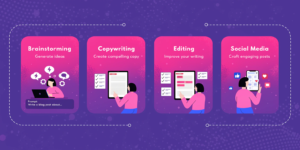
AI tools for content creation are software applications that use artificial intelligence to as
sist with tasks like writing text, generating images, editing videos, and improving content quality. These tools analyze patterns and provide smart suggestions, saving time and effort.
Why Content Creators Use AI Tools
Faster content production
Better idea generation
Improved quality and consistency
Reduced creative fatigue
Internal Link:
You may also like Best Free AI Tools for Beginners
Best AI Writing Tools for Content Creation
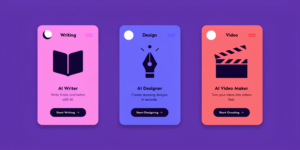
Writing is often the most time-consuming part of content creation. These AI writing tools are beginner-friendly and effective.
ChatGPT (Free Version)
Best for: Blog drafts, ideas, outlines, explanations
ChatGPT helps generate content ideas, write first drafts, and simplify complex topics. Beginners can use it to speed up writing while keeping full control over editing.
Mini Case Study:
A beginner blogger uses ChatGPT to create blog outlines and then rewrites them in their own voice—cutting writing time in half.
Grammarly (Free Plan)
Best for: Editing, grammar, tone improvement
Grammarly checks spelling, grammar, and clarity, making content more professional and readable.
Tip: Always review suggestions manually to keep your natural tone.
AI Design Tools for Visual Content
Visuals are essential for blogs and social media. AI design tools make design easy—even for non-designers.
Canva AI
Best for: Blog images, social media posts, presentations
Canva AI offers templates, design suggestions, and text-to-image features that help beginners create eye-catching visuals quickly.
Adobe Firefly (Free Credits)
Best for: AI-generated images and text effects
Useful for experimenting with creative visuals without advanced design skills.
Internal Link:
Check Best Free Productivity Apps That Actually Help
AI Video & Audio Tools for Creators
Video and audio content is growing fast. AI tools make editing simpler.
Cap Cut AI
Best for: Video editing, captions, effects
Cap Cut’s AI features help beginners create polished videos for YouTube and social media.
Descript (Free Version)
Best for: Audio and video editing via text
Descript lets users edit audio and video by editing text—perfect for beginners.
How to Use AI Tools for Content Creation (Step-by-Step)
Step 1: Start With One Tool
Avoid overwhelm. Choose one writing or design tool first.
Step 2: Use AI for Drafts, Not Final Content
AI should help you start faster—not replace your voice.
Step 3: Edit and Personalize
Add personal experience, examples, and opinions.
Step 4: Combine Tools Wisely
Example:
ChatGPT → writing draft
Grammarly → editing
Canva AI → visuals
Internal Link:
Read AI Tools to Save Time in Daily Life
Common Mistakes to Avoid When Using AI for Content
Many beginners misuse AI tools. Avoid these mistakes:
Publishing AI content without editing
Overusing the same phrases
Ignoring accuracy checks
Relying on AI for creativity
SEO Tip:
Google rewards people-first, helpful content, not copy-paste AI text.
External Authority:
Google Search Central explains how helpful content should be written for users.
Are AI Tools for Content Creation Safe?
Yes, most popular AI tools are safe if used responsibly. Always:
Check privacy policies
Avoid uploading sensitive data
Use trusted platforms
External Source:
OpenAI’s official documentation explains responsible AI use.
FAQs (Schema-Ready)
Q1: What are the best AI tools for content creation?
The best AI tools for content creation include ChatGPT, Grammarly, Canva AI, CapCut, and Descript. These tools are beginner-friendly and effective.
Q2: Can beginners use AI tools for content creation?
Yes, beginners can easily use AI tools. Most tools have simple interfaces and templates designed for non-technical users.
Q3: Are AI content creation tools free?
Many AI content creation tools offer free plans with limited features, which are enough for beginners.
Q4: Does Google allow AI-generated content?
Google allows AI-assisted content as long as it is helpful, original, and written for users—not search engines.
Q5: Should I rely only on AI for content creation?
No. AI should assist you, but human creativity, editing, and experience are essential for quality content.
Internal Links Used
Best Free AI Tools for Beginners (Easy & Powerful Guide) –
AI Tools to Save Time in Daily Life (Smart & Simple Guide) –
External Links (High Authority)
Google Search Central
OpenAI Official Blog