Introduction
Students today face a growing challenge: balancing classes, assignments, projects, and exams. The good news is that AI tools for students can help make studying more efficient and less stressful. From taking notes and summarizing chapters to organizing schedules and generating ideas, AI tools act as smart assistants for learning.
This guide is written specifically for students who want to use AI responsibly and effectively. You’ll learn which beginner-friendly AI tools save time, improve understanding, and boost productivity. We’ll also cover step-by-step tips, real-world examples, common mistakes, and safe practices. By the end, you’ll know exactly how to integrate AI into your study routine and maximize your learning potential—without relying on shortcuts or losing personal effort.
Why Students Should Use AI Tools
AI tools can significantly improve study efficiency by:
-
- Summarizing lengthy textbooks and notes
- Generating ideas for projects and essays
- Improving writing clarity and grammar
- Organizing schedules and deadlines
Internal Link:
See Best Free AI Tools for Beginners
Best AI Tools for Students
Here’s a curated list of beginner-friendly AI tools specifically for students.
ChatGPT (Free Version)Best for: Summaries, explanations, study notes
ChatGPT helps students quickly understand difficult concepts and draft essays or reports.
Example:
A student can input a chapter from a textbook and get a concise summary to review before exams.
Grammarly (Free Plan)
Best for: Essay and report editing
Grammarly ensures written assignments are free from errors and improve readability.
Notion AI
Best for: Notes, study plans, and organization
Notion AI allows students to structure notes, create to-do lists, and manage project timelines efficiently.
Quizlet AI (Free)
Best for: Learning and memorization
Quizlet AI helps create flashcards and practice quizzes, making studying interactive and faster.
Canva AI
Best for: Presentation slides and graphics
Students can quickly create professional-looking visuals for projects or assignments without design experience.
Google Gemini
Best for: Quick research and explanations
Google Gemini provides accurate answers to research questions, helping students save hours of online searching.
Step-by-Step: How Students Can Use AI Tools Effectively
Step 1: Identify Your Study Challenges
List tasks that take too long, like summarizing or organizing notes.
Step 2: Pick One Tool at a Time
Avoid overwhelm; focus on mastering one AI tool first.
Step 3: Use AI to Support, Not Replace Learning
AI should assist understanding, not do all the thinking for you.
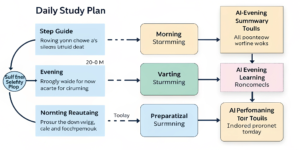
Step 4: Combine Tools for Efficiency
Example workflow:
- ChatGPT → summarize notes
- Grammarly → check essays
- Quizlet AI → practice and memorize
- Notion AI → organize tasks
Real-World Example: Students Using AI
Mini Case Study:
A university student used ChatGPT to summarize chapters, Grammarly to edit essays, and Quizlet AI to prepare for exams. Result: reduced study time by 2–3 hours per day while improving understanding and retention.
Common Mistakes Students Make
- Relying completely on AI without learning
- Copying AI-generated work
- Using multiple tools without workflow
- Ignoring privacy policies
Are AI Tools Safe for Students?
Yes, most free and popular AI tools are safe. Students should:
- Use trusted platforms only
- Avoid sharing personal or sensitive info
- Review content for accuracy
External Source:
OpenAI safety guidelines explain responsible AI use.
Q1: What are the best AI tools for students?
The best AI tools for students include ChatGPT, Grammarly, Notion AI, Quizlet AI, Canva AI, and Google Gemini.
Q2: Can students rely on free AI tools?
Yes, free AI tools provide enough functionality for study, research, and project work.
Q3: Do AI tools replace learning?
No. AI tools assist learning but should not replace understanding or personal effort.
Q4: Are AI tools safe for academic use?
Yes, if students follow ethical guidelines and use tools responsibly.
Q5: How can AI tools improve productivity for students?
AI tools save time, organize tasks, generate ideas, and simplify studying.
Internal Links Used
- Best Free AI Tools for Beginners (Easy & Powerful Guide) –
- AI Tools to Save Time in Daily Life (Smart & Simple Guide) –
External Links (High Authority)
- OpenAI Official Blog
- Google Search Central