Introduction
Artificial Intelligence is evolving faster than ever, and 2025 is shaping up to be a year full of innovative AI tools. Whether you’re a student, blogger, freelancer, or small business owner, knowing the best AI tools in 2025 can save you time, enhance creativity, and simplify everyday tasks.
For beginners, the sheer number of AI tools available can be overwhelming. Not every tool is beginner-friendly, free, or genuinely useful. This guide focuses on practical, tested AI tools that are easy to use and provide real value. You’ll learn which tools help with writing, design, productivity, and automation. By the end of this article, you’ll have a clear list of the best AI tools to start using today and actionable tips on integrating them into your daily workflow—without wasting time or energy.
Why You Should Start Using AI Tools in 2025
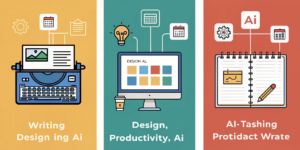
AI tools are no longer futuristic—they’re practical assistants that help with:
Writing and content creation
Graphic and video design
Productivity and planning
Research and learning
Using the right AI tools early in 2025 gives beginners a competitive edge and reduces the learning curve for digital tasks.
Best AI Tools in 2025 for Beginners
Below is a curated list of beginner-friendly AI tools to try this year.
ChatGPT (OpenAI)
Best for: Writing, brainstorming, summaries
ChatGPT continues to be a top choice for beginners who want instant writing assistance and creative ideas.
Canva AI
Best for: Visual content, social media posts, presentations
Canva’s AI tools allow even beginners to produce professional-looking graphics quickly.
Grammarly (Free Plan)
Best for: Grammar, spelling, clarity, tone
Grammarly ensures your writing is polished, professional, and readable.
Notion AI
Best for: Planning, notes, organization
Notion AI helps beginners organize projects, content ideas, and daily tasks efficiently.
Jasper AI (Starter Free Plan)
Best for: Marketing content, ad copy, email drafts
Jasper AI is beginner-friendly and ideal for small business owners or content marketers.
Runway AI
Best for: Video editing and creative visuals
Runway AI simplifies video editing, allowing beginners to create polished videos quickly.
How to Choose the Right AI Tool for You
Step-by-Step Guide
Identify your main goal (writing, designing, planning)
Start with one or two free AI tools
Test features and ease of use
Check privacy and security policies
Gradually expand as you gain confidence
Tip: Beginners should combine ChatGPT + Canva AI for writing and visual projects.
Real-World Example: Beginner Success with AI Tools

Mini Case Study:
A student blogger combined ChatGPT for content drafts, Canva AI for images, and Grammarly for editing. This workflow reduced content creation time from 6 hours to 2.5 hours per post while maintaining high quality.
Common Mistakes to Avoid
Trying too many tools at once
Not fact-checking AI content
Ignoring free plan limitations
Over-reliance without personal input
Are AI Tools in 2025 Safe for Beginners?
Most popular AI tools in 2025 are safe if used responsibly. Always:
Use reputable platforms
Avoid sharing sensitive data
Check updates and privacy policies
External Authority:
OpenAI’s official website provides safety guidelines and best practices.
FAQs
Q1: What are the best AI tools in 2025?
The best AI tools in 2025 include ChatGPT, Canva AI, Grammarly, Notion AI, Jasper AI, and Runway AI.
Q2: Can beginners use these AI tools easily?
Yes, all the listed tools are beginner-friendly and designed for simple, intuitive use.
Q3: Are AI tools in 2025 free to use?
Many offers free plans suitable for beginners, though advanced features may require subscriptions.
Q4: How do AI tools save time?
AI tools automate repetitive tasks, help with writing and design, and organize work efficiently.
Q5: Should beginners rely solely on AI tools?
No, AI should assist your workflow, but human input, creativity, and editing remain essential.
Internal Links Used
Best Free AI Tools for Beginners
AI Tools for Students
External Links (High Authority)
OpenAI Official Blog
Google Search Central