Introduction
Artificial Intelligence is no longer something only tech experts use. Today, beginners, students, bloggers, and small creators are using AI tools to write faster, study smarter, and manage daily tasks with ease. If you’re just starting out, choosing the best free AI tools for beginners can feel confusing—there are too many options, and not all of them are beginner-friendly.
This guide is written especially for first-time users who want simple, safe, and free AI tools that actually work. You don’t need coding skills or technical knowledge. Every tool shared here is easy to use, practical, and tested for real-life use. By the end of this article, you’ll know exactly which AI tools to start with and how they can help you save time, boost productivity, and work smarter without stress.
What Are AI Tools and Why Beginners Should Use Them
AI tools are software applications that use artificial intelligence to perform tasks like writing, summarizing, designing, planning, or organizing information. For beginners, AI tools act like smart assistants that reduce effort and improve efficiency.
Why AI Tools Are Helpful for Beginners
They save time on repetitive tasks
They improve learning and creativity
They don’t require technical skills
Many are free or offer generous free plans
Instead of replacing humans, AI tools help beginners do better work faster.
Best Free AI Tools for Beginners (Tested & Beginner-Friendly)
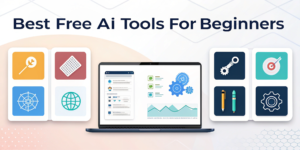
Below are some of the best free AI tools for beginners, categorized by use case.
AI Writing Tools for Beginners
- ChatGPT (Free Version)
Best for: Writing ideas, explanations, summaries
ChatGPT helps beginners write content, understand topics, and brainstorm ideas. It’s easy to use and perfect for students and bloggers. - Grammarly (Free Plan)
Best for: Grammar and clarity
Grammarly checks spelling, grammar, and tone, making writing clearer and more professional.
Mini Example:
A student can use ChatGPT to draft notes and Grammarly to polish them.
AI Design & Image Tools
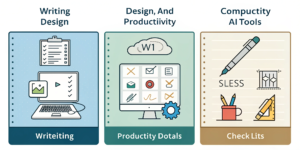
- Canva AI (Free Tools)
Best for: Social media posts, presentations, blog graphics
Canva’s AI features help beginners design professional visuals without design skills. - Remove.bg
Best for: Background removal
Perfect for quick image edits, especially for blog thumbnails.
AI Productivity & Organization Tools
- Notion AI (Limited Free Use)
Best for: Notes, planning, organization
Helps beginners organize tasks, study plans, and content ideas. - Google Gemini (Free)
Best for: Research and productivity
Useful for quick explanations, idea generation, and daily assistance.
How to Choose the Right AI Tool as a Beginner
Not every AI tool is suitable for beginners. Here’s how to choose wisely:
Step-by-Step Guide
Start with one tool only
Choose tools with simple dashboards
Avoid tools asking for payment upfront
Check privacy policies
Use tools that solve one clear problem
Real-World Tip:
If you’re a student, start with ChatGPT + Grammarly.
If you’re a blogger, add Canva AI.
Common Mistakes Beginners Make with AI Tools
Even free AI tools can be misused. Avoid these mistakes:
Using too many tools at once
Copy-pasting AI content without editing
Ignoring accuracy checks
Sharing personal or sensitive data
AI should support your work—not replace your thinking.
How AI Tools Can Save Time in Daily Life
AI tools help beginners:
Finish assignments faster
Write emails and posts quickly
Organize schedules
Reduce mental overload
Internal Link:
You may also like AI Tools to Save Time in Daily Life
https://www.youtube.com/watch?
Internal Link:
Read Best Free Productivity Apps That Actually Help
Are Free AI Tools Safe to Use?
Most popular free AI tools are safe if used responsibly. Stick to well-known platforms and avoid entering personal information.
External Authority Reference:
Google’s AI safety guidelines explain how responsible AI tools should protect users.
FAQs (Schema-Ready)
Q1: What are the best free AI tools for beginners?
The best free AI tools for beginners include ChatGPT, Grammarly, Canva AI, Notion AI, and Google Gemini. These tools are easy to use and don’t require technical knowledge.
Q2: Can beginners use AI tools without experience?
Yes, beginners can use AI tools easily. Most free AI tools are designed with simple interfaces and guided features.
Q3: Are free AI tools good enough?
Free AI tools are powerful enough for beginners. They handle daily tasks, learning, writing, and basic productivity efficiently.
Q4: Is using AI tools allowed for students?
Yes, students can use AI tools responsibly for learning, research, and productivity, as long as they follow academic guidelines.
Q5: Do AI tools replace human creativity?
No, AI tools support creativity. Beginners still need to think, edit, and make decisions.
Internal Links Used
AI Tools to Save Time in Daily Life (Smart & Simple Guide) –
External Links (Authority)
Google Search Central (AI & content guidance)
OpenAI official documentation