Introduction
Staying productive in 2025 requires smart tools that help manage time, tasks, and projects efficiently. The best productivity apps can streamline your workflow, reduce distractions, and help you focus on what matters most.
In this guide, we’ll cover the top productivity apps for beginners and professionals, explain their unique features, and provide practical tips on integrating them into your daily routine. Whether you’re a student, remote worker, or entrepreneur, these apps will help you organize tasks, collaborate effectively, and maximize output. By combining these apps with simple productivity techniques, you’ll achieve your goals faster and maintain a better work-life balance.
Why Productivity Apps Matter in 2025
Save time by automating repetitive tasks
Organize projects and personal tasks effectively
Collaborate with teams in real time
Track progress and stay accountable
https://www.youtube.com/watch?
Internal Link:
See AI Tools to Save Time for apps that complement productivity tools.
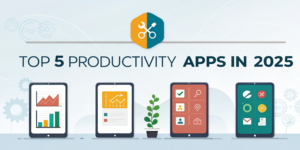
App 1 – Notion
All-in-one workspace for notes, tasks, and projects
Customizable templates for personal and team use
Integrates with other productivity tools
Tip: Use Notion AI to generate content, track projects, and manage tasks seamlessly.
App 2 – Todoist
Simple task management with deadlines and priorities
Supports recurring tasks and reminders
Collaboration features for teams
App 3 – Trello
Visual project management with boards, lists, and cards
Ideal for team collaboration and task tracking
Integrates with apps like Slack, Google Drive, and Notion
App 4 – Microsoft To Do
Task management with intuitive interface
Syncs across devices
Integration with Microsoft 365 suite
App 5 – ClickUp
All-in-one project management for teams and individuals
Track tasks, docs, goals, and time
Customizable dashboards and templates
Step 1 – Choose the Right Apps for Your Workflow
Identify personal or team needs
Avoid app overload; pick 2–3 essential apps
Use apps with AI or automation features to save time
Step 2 – Set Up and Organize
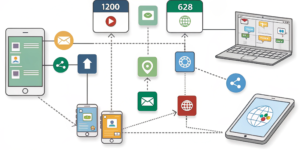
Create task lists, boards, or calendar
Add priorities, deadlines, and reminder
Integrate with calendars and communication tools
Step 3 – Maintain Consistency
Update tasks daily
Review completed and pending tasks weekly
Adjust workflow based on performance and goals
Common Mistakes Beginners Make
Using too many apps causing confusion
Not setting priorities or deadlines
Ignoring app features and automation options
Failing to review and adjust tasks regularly
Real-World Example: Productivity Boost with Apps
Mini Case Study:
A student combined Notion for project tracking, Todoist for daily tasks, and Trello for group assignments. Within a month, task completion increased by 40%, and study time became more structured and focused.
FAQs
Q1: What are the best productivity apps in 2025?
Notion, Todoist, Trello, Microsoft To Do, and ClickUp are among the top apps.
Q2: Can beginners use these apps effectively?
Yes, all apps provide tutorials, templates, and beginner-friendly interfaces.
Q3: Should I use multiple apps at once?
Start with 2–3 essential apps to avoid confusion, then expand if necessary.
Q4: Do productivity apps help with time management?
Absolutely. They organize tasks, set reminders, and track progress to improve efficiency.
Q5: Can AI features in apps boost productivity?
Yes, AI can automate tasks, generate content, and optimize workflows for faster results.
Internal Links Used</strong
AI Tools to Save Time
Blog Content Ideas
External Links (High Authority)
Notion Official Site
Todoist Official Site
Trello Official Site