Introduction
Blogging is still one of the best ways to share ideas, build authority, and even earn income online. If you’ve been thinking, “how to start a blog in 2025,” you’re in the right place. With new platforms, AI tools, and SEO strategies, starting a blog is easier than ever—even for beginners.
This guide walks you through every step of starting a blog in 2025. From choosing a niche and picking the right platform to creating your first post and optimizing for SEO, you’ll get actionable tips to launch a blog that grows over time. By the end, you’ll have the confidence and knowledge to start blogging successfully, avoid common mistakes, and use modern tools to work smarter, not harder.
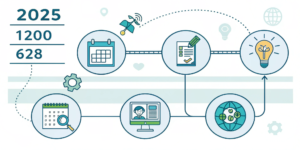
Why Start a Blog in 2025?
Blogging is not just about writing; it’s about building an online presence. Here’s why 2025 is a great year to start:
AI Tools for Writing make content creation faster
SEO Evolution helps new bloggers rank with quality content
Monetization Opportunities through ads, affiliates, and digital products
Personal Brand Growth for careers or businesses
Internal Link:
Check SEO Tips for Beginners for blogging optimization.
Step 1 – Choose Your Blog Niche
Choosing the right niche is critical. Consider:
Your passion or expertise
Audience demand
Monetization potential
Example niches in 2025: tech guides, productivity, AI tools, personal finance, lifestyle.
Step 2 – Pick a Blogging Platform
Beginner-friendly platforms in 2025:
WordPress.org – Most flexible and scalable
Wix – Easy drag-and-drop builder
Blogger – Free and simple
Squarespace – Beautiful templates for creatives
Tip: WordPress.org is preferred for SEO and long-term growth.
Step 3 – Register a Domain & Hosting
Domain: Short, brandable, easy-to-remember
Hosting: Fast, reliable, beginner-friendly
Recommended providers: Bluehost, SiteGround, Hostinger
Step 4 – Design Your Blog
Choose a clean, mobile-friendly theme
Add essential pages: About, Contact, Privacy Policy
Use AI tools like Canva AI for banners and graphics
Internal Link:
See Best Free AI Tools for Beginners for design help.
Step 5 – Create Your First Blog Post
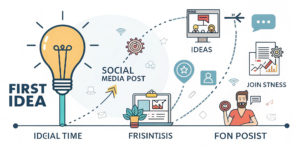
Pick topics related to your niche
Use keyword research (Google Trends, Ubersuggest)
Write in a humanized tone, include examples, step-by-step tips
Mini Example:
If your niche is productivity, your first post could be: “Top 5 Productivity Hacks for Students in 2025.”
Step 6 – SEO & Promotion
Use focus keywords in titles, meta description, H1/H2
Internal linking to older posts as your blog grows
Share on social media: Pinterest, X (Twitter), LinkedIn
Use free AI tools for content ideas and outlines
External Reference:
Google Search Central provides SEO best practices.
Common Mistakes Beginners Make
Choosing too broad or saturated a niche
Ignoring mobile-friendly design
Overcomplicating content
Not planning content consistently
How AI Can Help New Bloggers
ChatGPT – Writing drafts and ideas
Grammarly – Editing content
Canva AI – Creating visuals
Notion AI – Organizing editorial calendar
FAQs
Q1: How much does it cost to start a blog in 2025?
It can be free with platforms like Blogger, but professional blogs with domain and hosting cost $3–$10/month.
Q2: Do I need coding skills to start a blog?
No, beginner-friendly platforms like WordPress, Wix, and Squarespace allow easy setup without coding.
Q3: How long does it take to see traffic?
With SEO and consistent content, beginners can start seeing traffic in 2–3 months.
Q4: Can I monetize my blog as a beginner?
Yes, through ads, affiliate marketing, sponsored content, and digital products.
Q5: Which AI tools help bloggers in 2025?
ChatGPT, Grammarly, Canva AI, and Notion AI help with writing, editing, designing, and planning.
Internal Links Used
Best AI Tools
AI Tools for Students
External Links (High Authority)
Google Search Central
WordPress.org official site